Demonstrations
Accueil > Products > Simulators > PackSim-Gravure > PackSim-Gravure Description
PackSim-Gravure Description
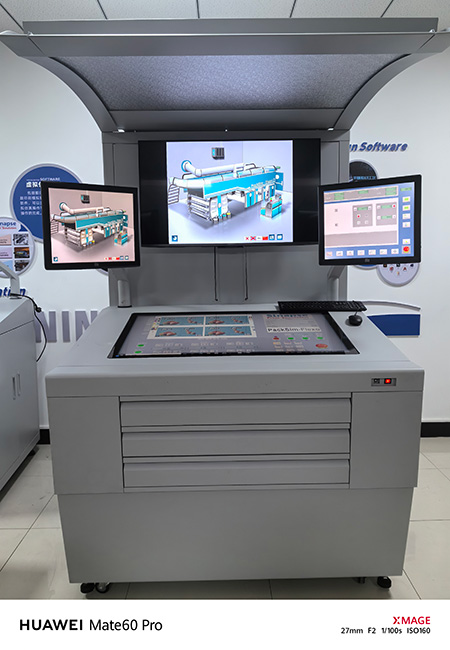
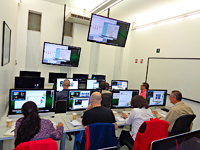
The PackSim-Gravure simulator puts a complete press - from unwind to web conditioner to print units to rewind ( or to cutter/creaser ) - at the user’s fingertips. It operates on a standard micro-computer, using a high resolution graphics card and two large monitors. One of the monitors displays the press control console, and the second monitor shows the printed result.
- Production information
- Good and bad footage printed
- Time and cost of the print run
Training history
- Problems solved (per operator)
- Predefined problems and print faults
- Operator Actions
- Console Adjustments
- Press Adjustments/ Repairs
- Densitometer and Magnifier measurements
- Use of Help System
- Time and Cost /Action
- Result of Action (print better or worse)
- Overall results and production costs
- Total Production Time
- Total Downtime
- Cost/Impression
- Total Time and Cost
Press customization
- Multimedia images, movies, texts, etc. may be integrated in the simulator to better describe the workings of your own press
Material selection
- Solvent Ink (color, viscosity)
- Water based ink (pH, color, viscosity)
- Doctor Blades (thickness, material)
- Cylinder and impression roller (diameter)
- Unsupported foil, supported foil and film (color, structural and surface properties)
- Corrugated sheet rolls (color, structural and surface properties)
- Inks (color, pH, viscosity)
- Printing Plates (thickness, Durometer)
- Tape (thickness, Durometer)
Console actions
For reel to reel configuration}}}
- Reelstand pressure
- Side-lay (lateral) web position
- Nip pressures and tensions
- Web conditioner (corona treatment)
- Inking pressure
- Printing pressure
Additional actions for cutter creaser configuration
- Shunt height
- Decurler
QC Tools
- Manual densitometer
- Magnifier
Press components
- Reelstand
- Reel
- Substrate
- Splice
- Festoon
- Infeed
- Input Web guide
- Web conditionner
- Print Unit
- Ink
- Ink pump
- Ink sump
- Ink pan
- Splash guard
- Ink applicator
- Electro static assistance
- Doctor Blade assembly
- Plate Cylinder Unit
- Drive
- cylinder
- Impression roller
- Dryers
- LEL detector
- Dryer fan zone 1 & 2
- Exhaust recircurling 1 & 2
- Ink
- Output web guide
- Rewind
- Current reel
- New roll
Additionnal component for cutter creaser configuration
- Dancer roller
- Metering roller
- Die chase
- Corks
- Rules
- Knives
- Kicker roller
- Stripper roller
- Tab breaker
- Delivery table
Simulated printing faults
- Adhesion
- Bent Flaps
- Bleeding
- Blocking
- Broken Nicks
- Bubble under the cylinder surface
- Chatter
- Chrome streak
- Coating
- Color off
- Curling
- Cutter Jam
- Cutting Register
- Cylinder mark
- Delivery Jam
- Dents in boxes
- Distorted image
- Dragging
- Drying Problems
- Hazing
- Hole in web
- Image Retransfer
- Impression roller damage
- Incomplete transfer of ink from cells
- Initial patch up to be done
- Ink flow
- Ink splash
- Kicker Jam
- Lines
- Missing print
- Missing Scores
- Mottle
- Paper Slivers
- Picking
- Pinholes
- Press Stop
- Press Won’t Start
- Register
- Register + Distorted image
- Screening
- Scuffing
- Sharp Scores
- Sheet Breaks Loose
- Sheet Skew
- Slitting
- Smashed Knives
- Solvent Retention
- Splicing
- Static
- Stripper Jam
- Tab Breaker Jam
- Torn Box
- Trapping
- Trim on Delivery
- Uncut Flaps
- Volcanoes
- Web break
- Wrinkle
- Wrinkles
Diagnostic help system
- possible causes for current problems